Data access consent
Notion employees will only ever access your data for the purposes of troubleshooting problems or recovering content on your behalf, after hearing from you via email or in-app support chat with a request for help. Here's how you can grant access consent🚪
For more information about Notion's security practices, and how your data is stored on our servers, please refer to our Security & privacy article. Below, you'll find instructions for how to grant Notion's support team consent to access your account.
Allow data access
When chatting with Notion support via email or in-app chat, you may be asked for consent to access your account, in order to help with troubleshooting or recovery.
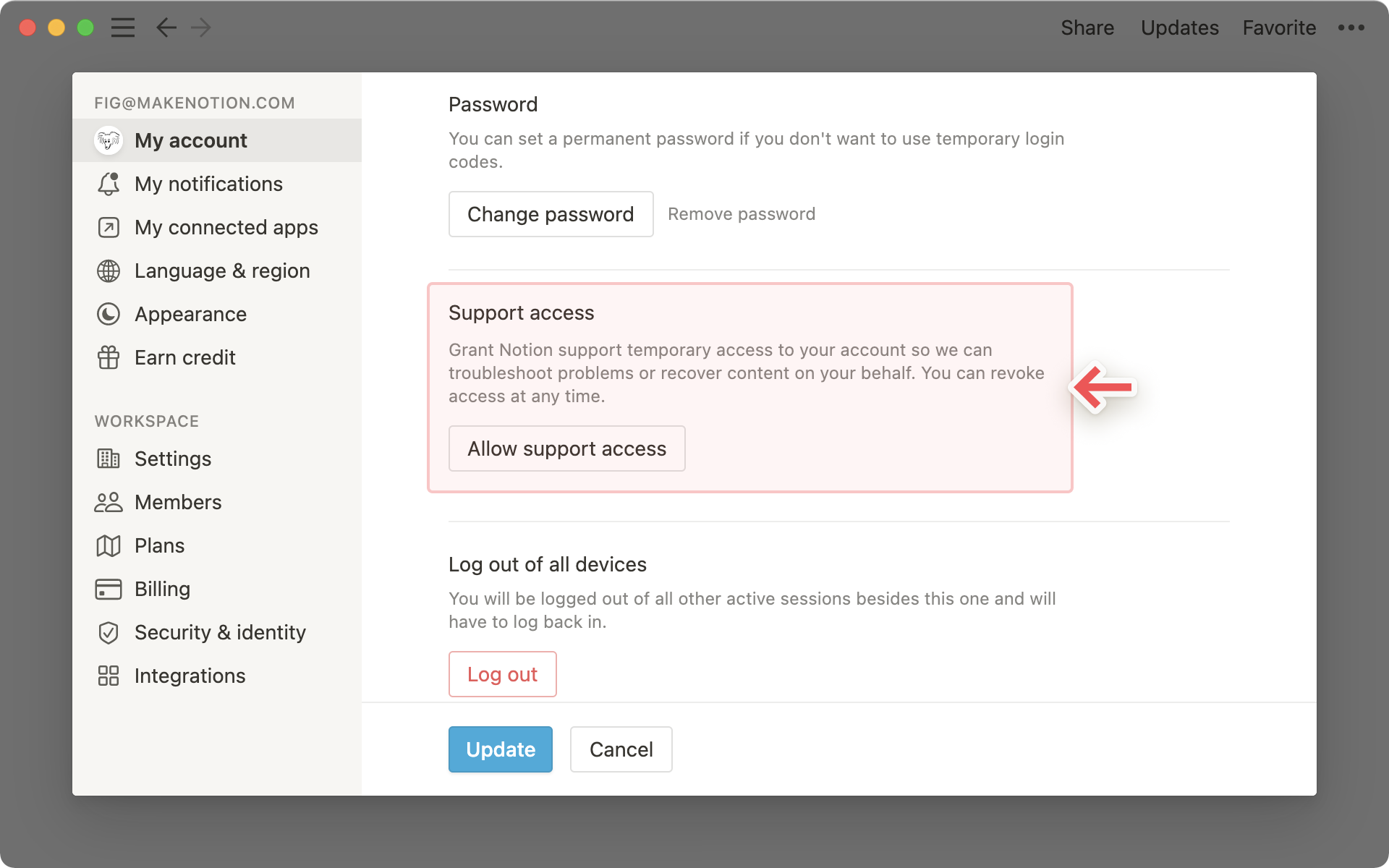
Navigate to
Settings & membersat the top of your left-hand sidebar, thenMy account.Scroll down to the
Support accesssection and clickAllow support access.
Revoke data access
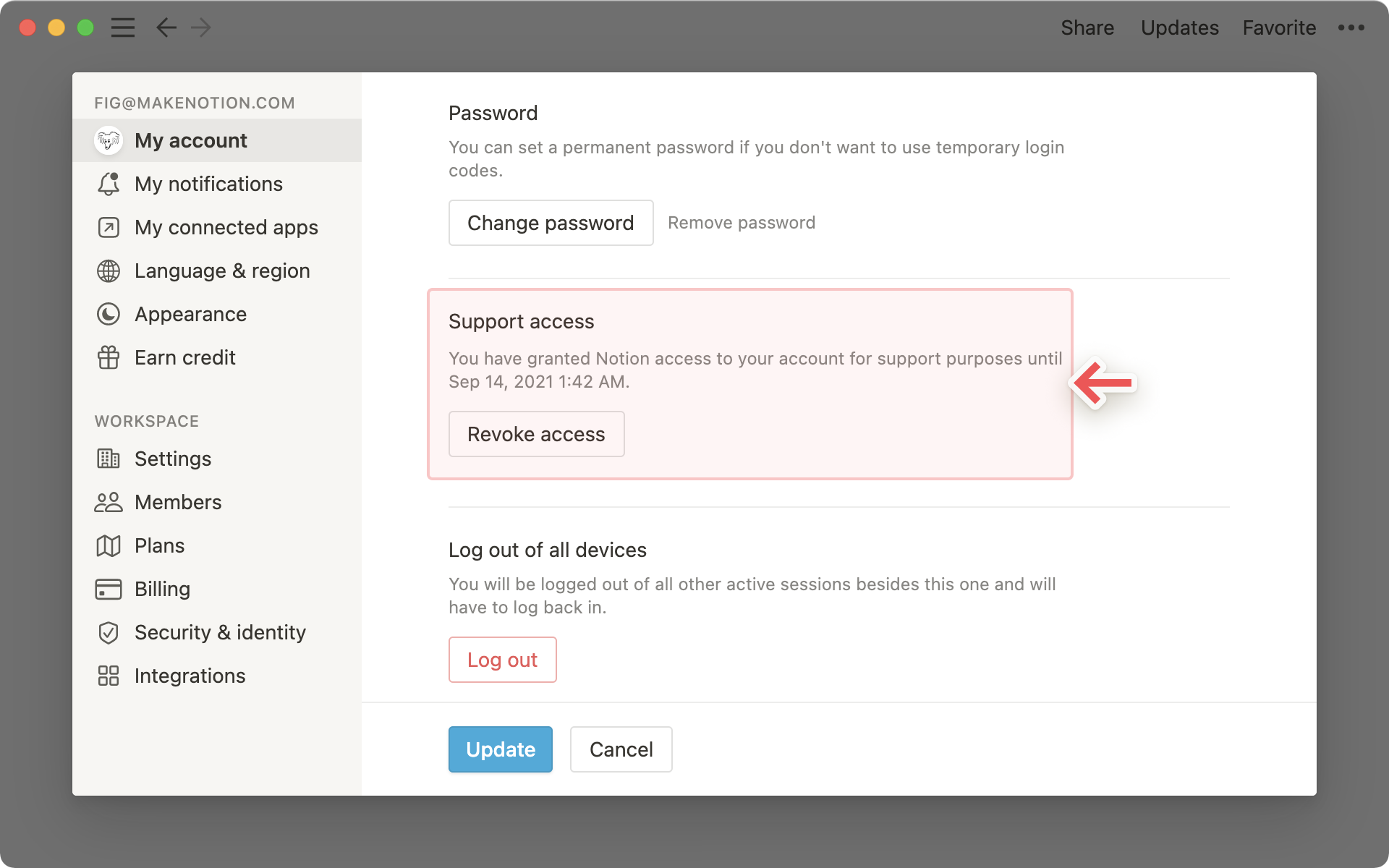
After you've granted access, Notion's support team will have permission to access your content for 28 days, or until you revoke this access. This timeframe will be visible in-app.
To revoke access at any time:
Navigate to
Settings & membersat the top of your left-hand sidebar, thenMy account.Scroll down to the
Support accesssection and clickRevoke access.
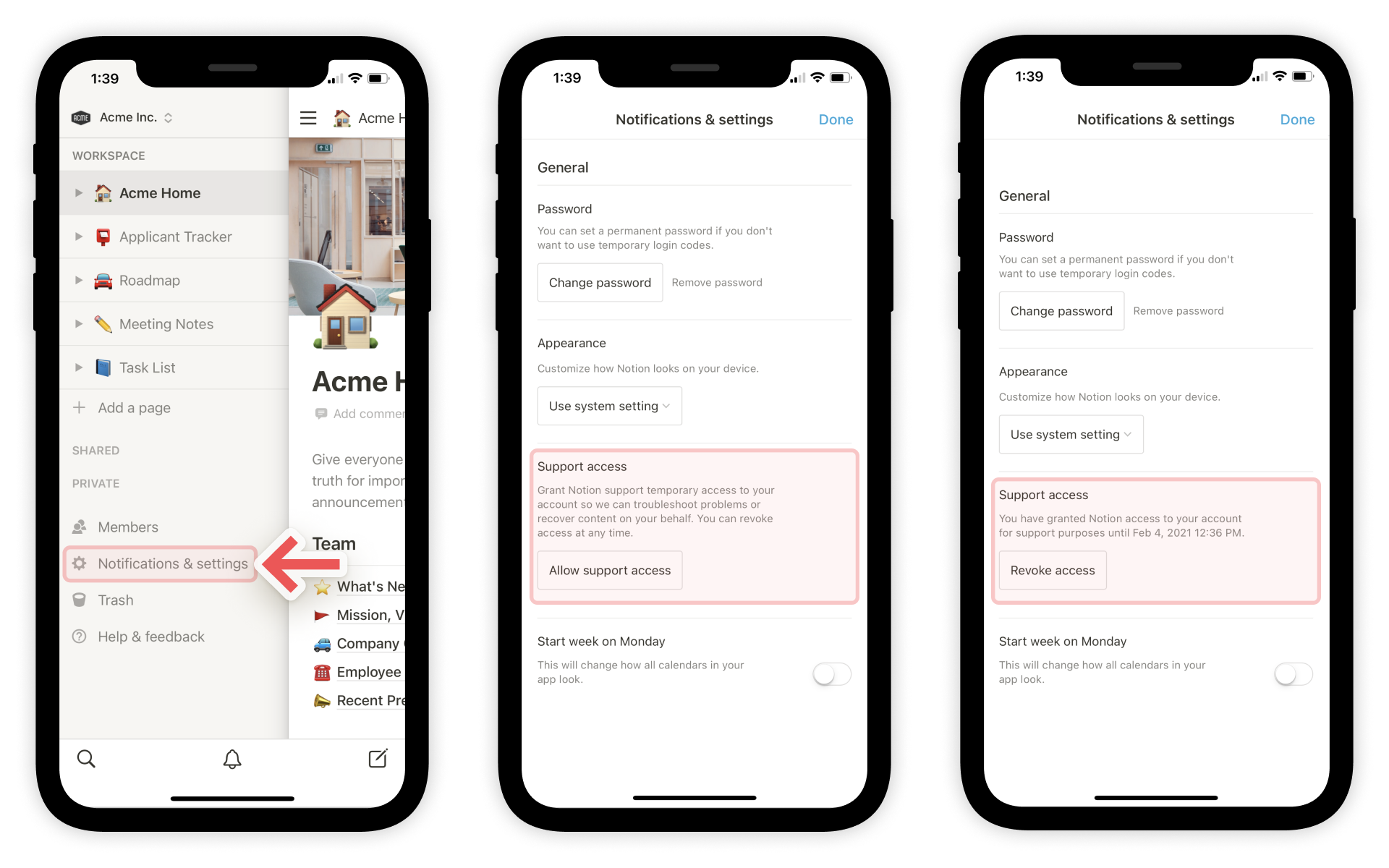
Open the sidebar by tapping the
☰icon in the top left-hand cornerScroll down and click
Notifications & settingsat the bottom of the sidebar.Navigate to the
Support accesssection.Tap
Allow support accessto grant temporary access to your account.Afterward, tap
Revoke accessat any time to revoke access to your account.